
Search stays in view
The search field sits in the main navigation. A customer who already knows the name can start straight away, without going through categories.

Online catalogue / Machinery parts
A technical catalogue where you can more easily find the right family of parts, understand what information to prepare and ask for help before choosing a component for your machine.
Devrika project / strategy, UX/UI, WordPress development and catalogue
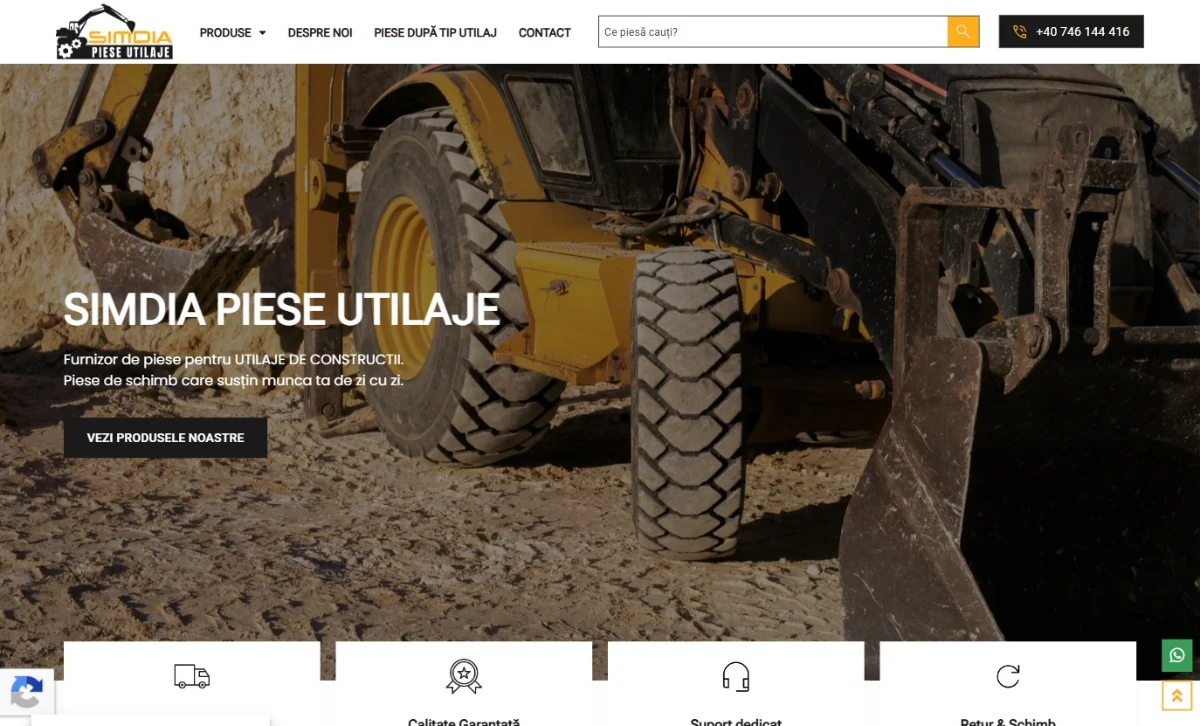
The screenshots show the interface we built. Products, brands and technical content can be updated by the client after launch.
Project at a glance
Simdia works with parts for many brands and machines. We turned the offer into a catalogue that is easy to scan and kept expert advice close at hand, for when a photo or a name is not enough.
Where we started
Simdia serves buyers looking for a compatible part, not just a generic product. The site had to support identifying parts for several brands and machine types, and show that the team can give technical advice when a name or code is not enough.
A wrong choice can stop a machine and cost time. That is why the site does not push a quick order: it helps the visitor start from the brand, the machine type or the part category, and ask for confirmation.
What we wanted to make simple for the customer
Why it looks like this
We split a complex offer into landmarks people recognise: machine, brand, system and part, then linked each path to the Simdia team.
The search field sits in the main navigation. A customer who already knows the name can start straight away, without going through categories.
Electrical, hydraulic, engine and transmission parts come with clear images, so the catalogue can be scanned visually, not only read.
The main action is a quote request. The team can check details and compatibility before the visitor makes the wrong decision.
Articles explain real maintenance and wear problems. They are a useful starting point even when the part is not yet known.
What we built
We built every component for the same purpose: to shorten the path between a problem on site and a well-informed conversation.
Separate paths for products, brands, machine types and company information.
A clear menu, visible search and quick entry points to the most used areas.
Categories and product cards that can be scanned without a heavy list.
Clear actions for the technical conversation, without a forced checkout.
Phone, form and WhatsApp stay close to the important moments.
An editorial area explaining wear, maintenance and choosing parts.
Project tour
The home page sets the field, the catalogue organises the parts, and the content and contact help when a choice needs confirmation.
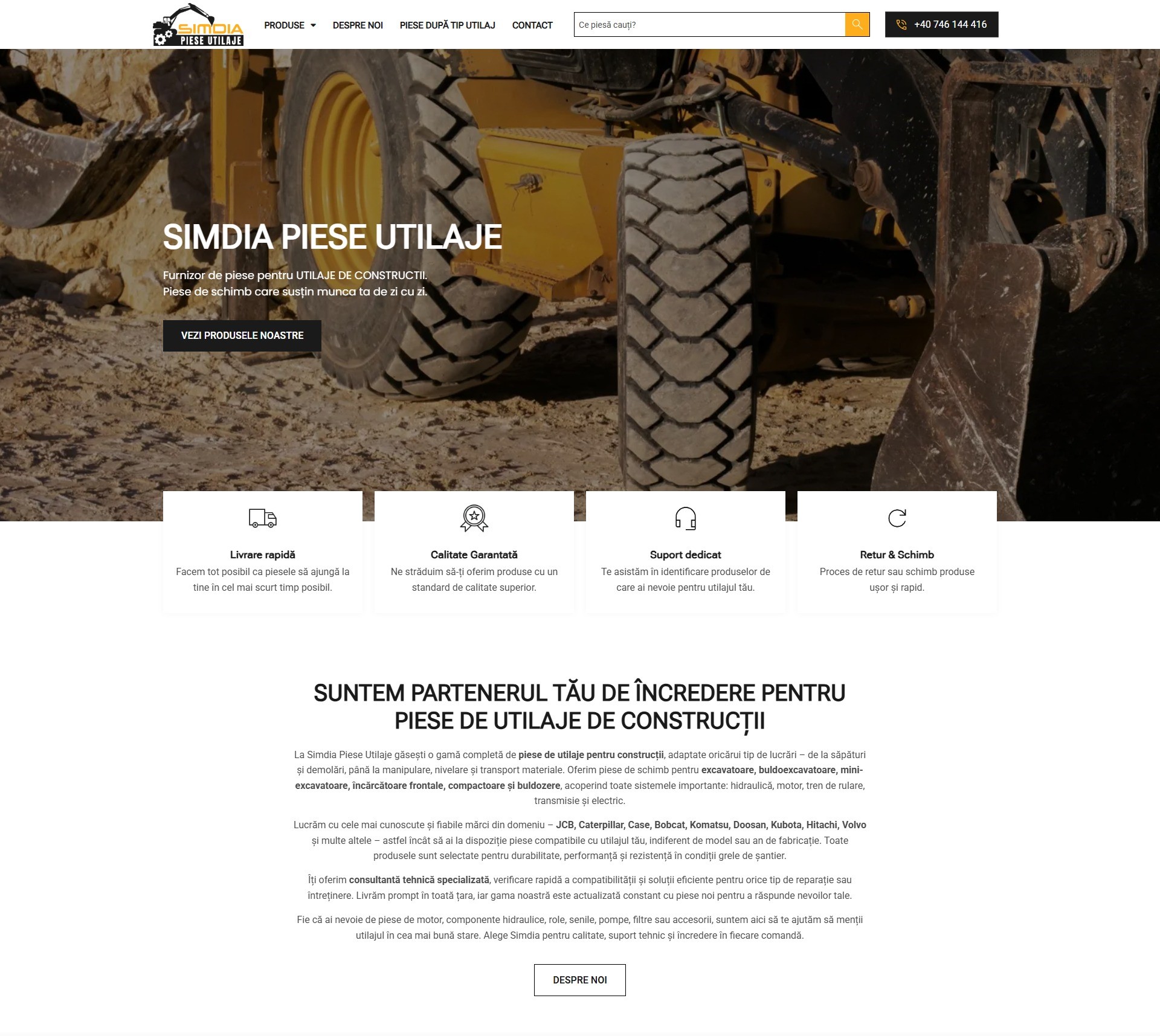
01 / Home page
The machine image, the direct message and access to products set the context quickly. Notes on delivery, support and returns continue the story without crowding the first screen.
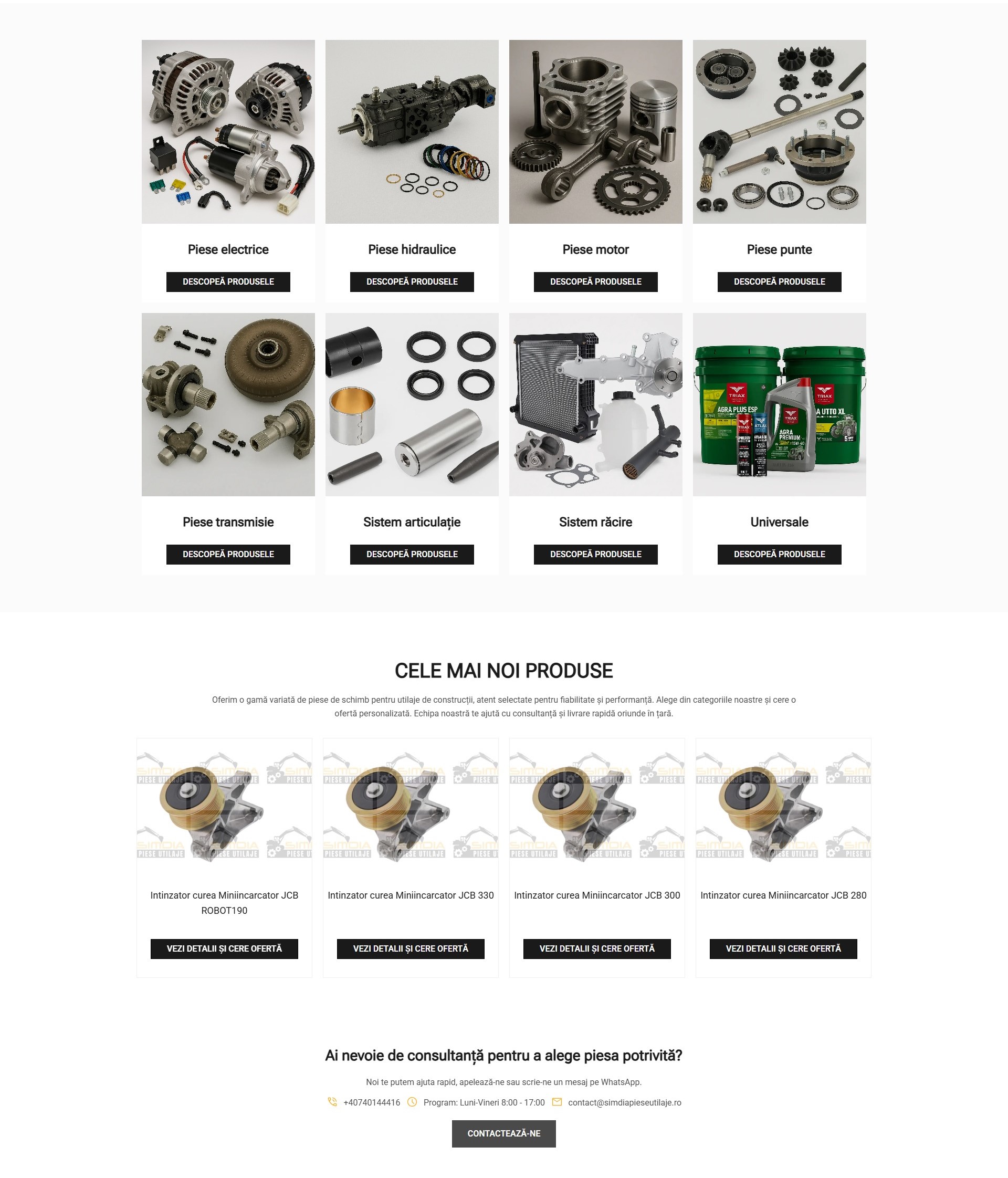
02 / Categories and products
Categories use simple names and large images. Below, new products keep the same pattern, and each card leads to details and a quote request.
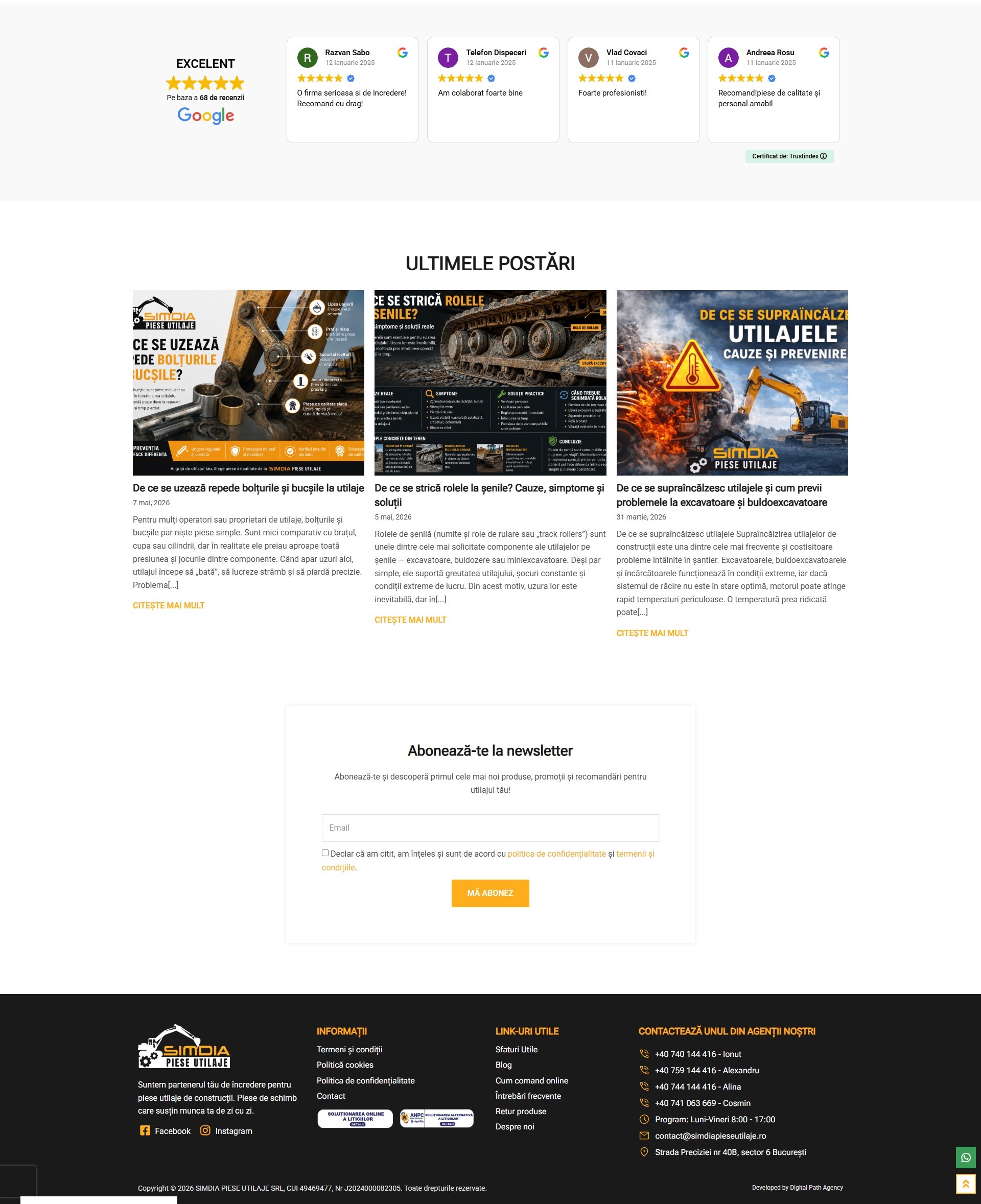
03 / Trust and content
Reviews, articles and full contact details stay on the same path. Visitors can learn more about a technical problem or go straight to a conversation with the team.
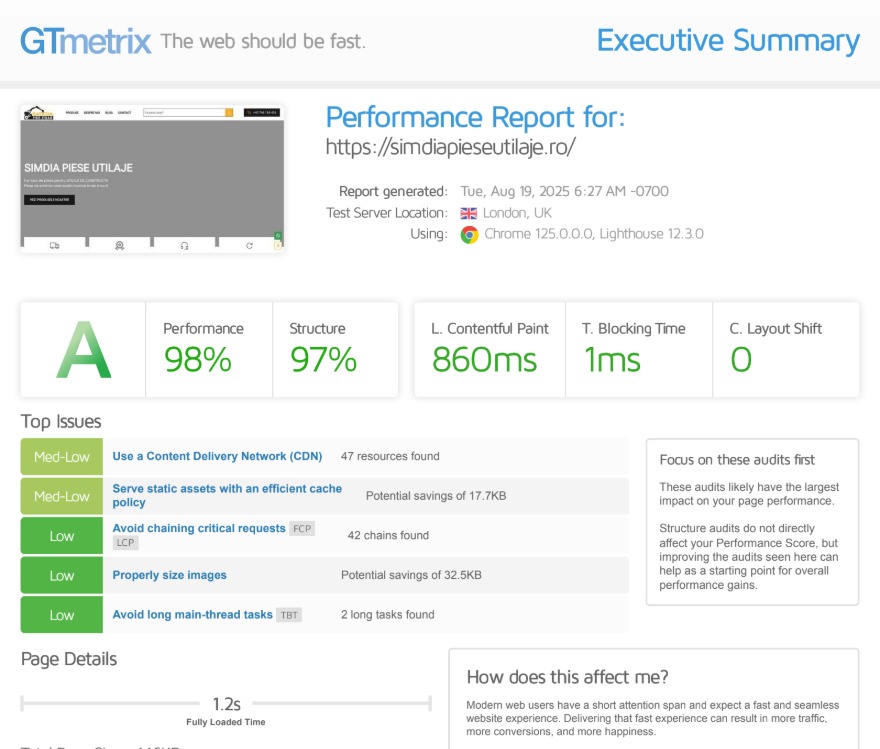
04 / Technical check
We kept a screenshot of the technical report made after launch. It is an archived record of the check made then, not a promise that the values stay the same after every later change.
The delivered result
Simdia is public and can be browsed from search and categories to products, informative content and contact.
Categories and products can be explored without an account or a prior request.
Phone, form and WhatsApp are built into the important paths.
Articles on maintenance and common problems complement the catalogue.
We do not publish figures about enquiries or customers without documented data and the client’s consent. Here we show only what can be checked directly.
Live site
Explore the brands, categories and products, then see how easily you reach a quote request. The offer may change as the client manages it.
Next project
We’ll tell you how your technical offer can become an easy-to-use catalogue, before you pay anything.